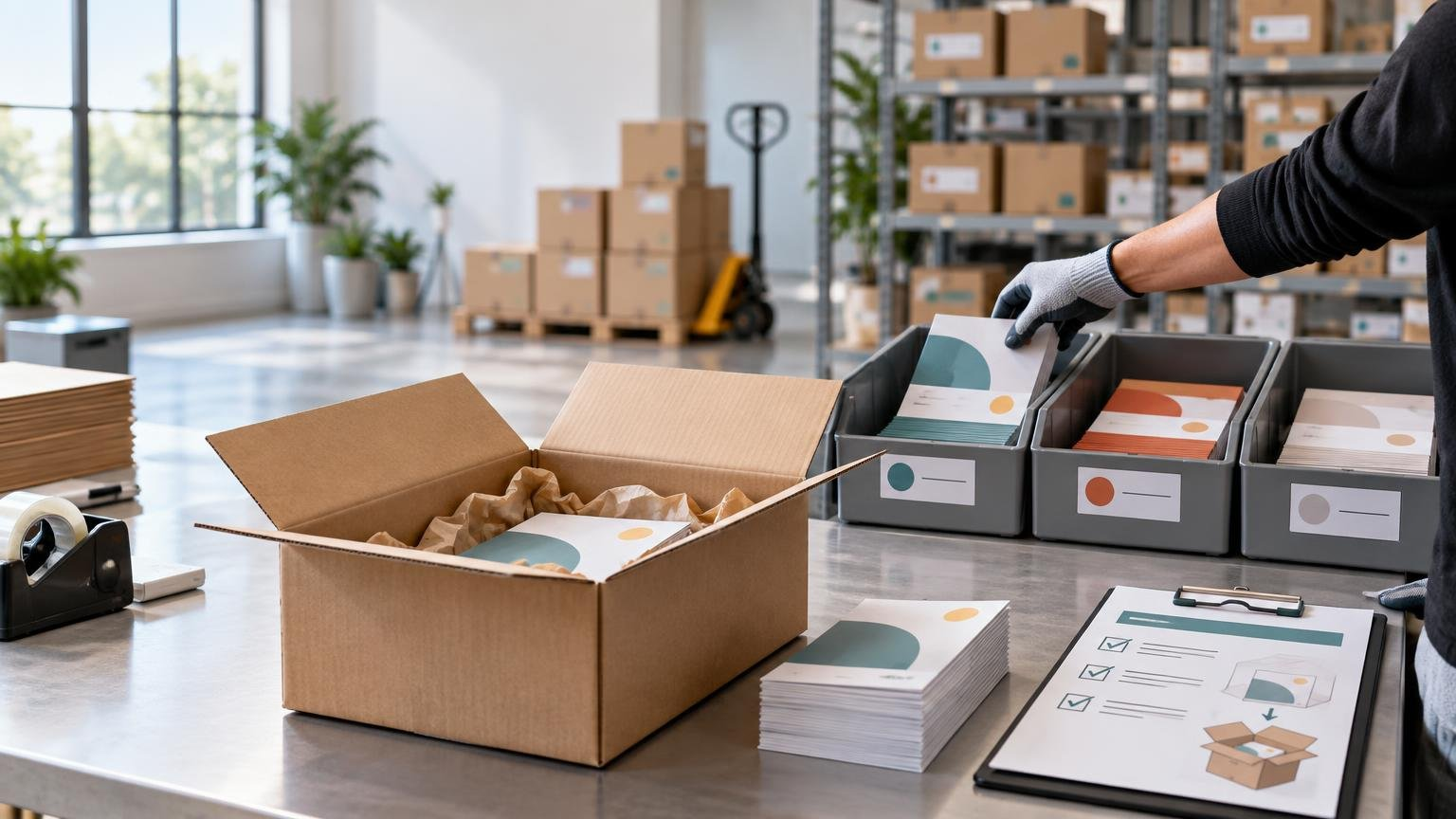
TLDR: Treat every packaging insert as a controlled inventory item, not as a stack of flyers beside a packing station. A reliable ecommerce packaging insert program gives each operationally distinct version its own internal SKU, defines exactly which orders receive it, assigns inventory by fulfillment location, and establishes launch, replenishment, quality-control, and expiration procedures.
The difficult part is rarely printing the insert. It is ensuring that the right version enters the right package at the right warehouse during the right campaign window. That requires coordination among marketing, ecommerce operations, procurement, inventory control, and the warehouse or 3PL. The program should be executable without expecting a packer to interpret campaign strategy while an order is moving down the line.
What makes an ecommerce packaging insert program repeatable?
A one-time insert order specifies artwork, quantity, and delivery. A repeatable program also controls eligibility, versions, locations, replenishment, exceptions, and retirement. It answers what happens when an order splits between warehouses, a promotion ends with stock remaining, or a QR code changes after thousands of pieces have been printed.
Build the program around five connected controls: an insert master record, machine-readable or clearly executable order rules, location-level inventory, a warehouse launch sheet, and a formal closeout. If one is missing, another team is likely to make an undocumented decision.
Create a master record for every insert SKU
Assign a controlled internal SKU to every version that must be stocked, selected, counted, or retired independently. GS1 US distinguishes an internal stock-keeping unit from standardized product identification, so an internal insert SKU does not automatically mean the piece needs a GTIN. The purpose is operational control within your own systems.
Create separate SKUs when two pieces have different offer terms, QR-code destinations, languages, eligible audiences, active dates, or warehouse instructions. A minor correction that does not affect fulfillment may remain a creative revision under the same SKU, but only if old and new copies can safely be used interchangeably. If the warehouse must distinguish them, they should not share an operational identity.
A practical naming format might be INSERT-CAMPAIGN-LANGUAGE-VERSION, such as INSERT-SPRING-EN-V03. This is an adaptable internal convention, not an industry standard. Keep the identifier short enough for labels and count sheets, but do not make the team decode essential rules from the name alone.
The insert master record should contain:
- Internal SKU and plain-language description
- Campaign owner and approving contacts
- Artwork revision and link to the approved proof
- Language, market, brand, or customer-segment version
- Offer terms, destination URL, and QR-code destination
- Eligible orders and explicit exclusions
- One-per-order or one-per-shipment rule
- Campaign start and cutoff, including the time zone
- Approved fulfillment locations and storage bins
- On-hand, incoming, reserved, quarantined, and obsolete quantities
- Reorder trigger, replenishment quantity, and procurement owner
- Disposition instructions for remaining stock
Creative files should live in a controlled library rather than email threads. If an artwork change creates a new operational version, update the master record, proof, bin label, and warehouse instructions together. A broader controlled print-project workflow can help prevent an old proof from reaching production.
Turn campaign strategy into executable placement rules
“Include this in spring orders” is not a warehouse rule. The warehouse needs conditions it can apply consistently, preferably through the order management, warehouse management, or fulfillment system rather than packer judgment.
| Rule area | Decision to document | Example |
|---|---|---|
| Eligibility | What qualifies an order? | Orders containing a product from the launch collection |
| Exclusions | What must not receive the insert? | Wholesale, replacement, test, or marketplace orders |
| Unit of application | Is the rule per order or per shipment? | One insert in the first outbound shipment |
| Priority | What happens when several campaigns qualify? | Retention insert overrides the general brand card |
| Suppression | Which customers or destinations are excluded? | Suppress regions where the offer is unavailable |
| Exception handling | Who can pause or release the rule? | Operations lead can place the campaign on hold |
Resolve the difference between one per order and one per shipment before launch. If one order splits across two locations, a one-per-shipment rule could generate two inserts. A one-per-order rule requires the system to decide which shipment receives it. Possible approaches include assigning the insert to the first releasable shipment, the shipment containing a qualifying product, or a designated fulfillment location.
Location-level control matters because inventory availability and order routing can differ by warehouse. Shopify, for example, tracks inventory by location and can assign fulfillment according to availability and configured routing settings. Other platforms use different labels and logic, but the operational question remains the same: can the system prevent an order from being routed to an insert location that has no usable stock?
Also document what should happen when the rule cannot be completed. Should the order ship without the insert, move to another location, or wait for an authorized release? Shopify documents fulfillment holds as a state in which fulfillment is blocked while inventory can remain reserved, illustrating why hold conditions and release authority should be agreed before launch. Do not create a hold for a promotional insert by default; use it only when the campaign requirement justifies delaying the customer’s order.
Manage inserts as location-level inventory
Printed pieces become operational inventory once they reach a warehouse. A purchase order saying that 20 cartons were printed does not prove that every location received, counted, and released its allocation.
Separate these events in the workflow: ordered, shipped by printer, received at warehouse, counted, accepted, placed in a bin, and released for use. Shopify’s transfer documentation similarly distinguishes inventory movement and receipt outcomes, including partial, rejected, and canceled quantities. Your software may use different states, but receiving discrepancies still need a recorded owner and resolution.
Useful insert states include incoming, on hand, available, reserved, quarantined, and expired. Shopify documents comparable distinctions among on-hand, available, committed, unavailable, and incoming inventory. A simple spreadsheet can represent these states for a small program, while higher-volume or multi-location operations may need them in an OMS, WMS, ERP, or inventory platform.
Do not base replenishment solely on total network inventory. One warehouse can run out while another holds surplus. Set a trigger for each active location using expected usage, replenishment lead time, demand variability, and the operational consequence of a stockout. For a framework, see setting safety stock for recurring print materials.
Choose stocked inserts, print on demand, or a hybrid
There is no universal quantity at which stocked inserts become better than print on demand. Compare total program risk rather than print unit price alone.
| Supply model | Works best when | Main tradeoff |
|---|---|---|
| Stocked inventory | Creative is stable, demand is predictable, and rapid pack-out is important | Storage, counting, transfers, and obsolete-stock exposure |
| Print on demand | Versions change often or demand is uncertain | Potentially higher unit cost and dependence on production lead time |
| Hybrid | A stable base insert coexists with short campaigns or localized versions | More supply rules and SKU governance to maintain |
Stocking can make sense when the same insert runs for a long period and warehouses need uninterrupted availability. Print on demand can reduce leftover inventory when offers, languages, or destinations change frequently. A hybrid might stock an evergreen care card while producing campaign-specific promotional pieces in smaller replenishment batches.
Model at least three scenarios: expected demand, an early campaign stop, and demand above forecast. Include printing, inbound freight, storage, handling, transfers between locations, emergency replenishment, and disposal or rework. For seasonal campaigns, use a defined work-back and cutover plan rather than ordering from an annual average; this seasonal package-insert planning method provides a useful framework.
Give the warehouse a complete launch sheet
The launch sheet is the operational contract between the campaign owner and fulfillment team. It should be approved before inventory is released into an active pick location.
- Insert SKU, version, description, and image of the approved piece
- Campaign start, cutoff, and applicable time zone
- Eligibility, exclusion, priority, and suppression rules
- One-per-order or one-per-shipment instruction
- Split-shipment and multi-location behavior
- Exact bin or pick-face location at each warehouse
- Placement diagram showing where the insert sits in the package
- Initial allocation and replenishment contact
- Hold, stockout, damaged-stock, and system-failure procedures
- First-pack approval method and audit schedule
- Closeout and leftover-inventory instructions
Placement instructions should be physical and specific: face up above the wrapped product, inside a document pouch, or beneath a protective layer, for example. Confirm that the final pack-out remains stable and that the insert does not interfere with product protection. USPS standards state that mailpieces must withstand normal transit and handling and that contents should be secured against shifting; requirements vary with the carrier, package, and service used. Production questions such as substrates and printing methods can be researched through commercial printing resources, but the final specification should follow the actual packing and shipping test.
Build QA into launch, replenishment, and closeout
Quality assurance should verify both the printed object and the fulfillment rule. A flawless insert placed in an ineligible order is still a program failure.
Before launch
- Approve the physical proof and confirm the recorded version.
- Test every QR code and printed destination.
- Verify offer terms, dates, exclusions, and required disclosures.
- Run test orders for eligible, excluded, split, and multi-campaign scenarios.
- Confirm inventory at each participating location.
- Photograph or document an approved first pack.
Claims on an insert need the same review as other advertising. The FTC’s advertising substantiation policy states that advertisers should have a reasonable basis for objective claims before those claims are disseminated. Route performance, health, environmental, savings, and comparative claims through the appropriate review process before printing.
During the campaign
Audit real orders, not just system settings. Sample qualifying and excluded orders from each location, then compare expected insertion with pack evidence or another documented warehouse check. Reconcile usage against shipped qualifying orders while allowing for approved waste, damaged pieces, test packs, and count adjustments. Large unexplained differences can indicate double insertion, skipped orders, an incorrect starting count, or unrecorded disposal.
At campaign close
Expiration is both a system event and a physical inventory event. At the documented cutoff, disable allocation, remove the SKU from active pick faces, and move remaining pieces to a clearly identified quarantine or obsolete area. Do not leave expired stock beside its replacement.
Reconcile the remaining quantity and record a disposition decision: reuse as approved evergreen material, rework if practical, recycle, destroy, or retain temporarily under controlled status. Confirm that no automated rule, manual packing note, subscription workflow, or secondary warehouse can continue selecting the retired version.
Assign one owner to each decision
Shared work does not require shared ambiguity. Marketing can own campaign intent and creative approval; legal or compliance can review regulated language and claims; procurement can own print ordering; inventory control can own receipt and replenishment; ecommerce operations can own eligibility logic; the warehouse can own physical execution; and a named campaign owner can authorize launch, pause, replacement, and closeout.
The next step is to choose one upcoming insert and document its master record, order rules, location allocations, launch sheet, and retirement plan before requesting the print quantity. If the team cannot describe how the final insert will be removed from every active bin and system rule, the program is not yet ready to launch.
References
- GS1 US Data Hub® | Product
- Shopify Help Center | Setting up order fulfillment for locations
- Shopify Help Center | Marking your order as on hold
- Shopify Help Center | Creating an inventory transfer for your purchase order
- Shopify Help Center | Understanding inventory states
- Domestic Mail Manual | Postal Explorer
- FTC POLICY STATEMENT REGARDING ADVERTISING SUBSTANTIATION
Leave a Reply