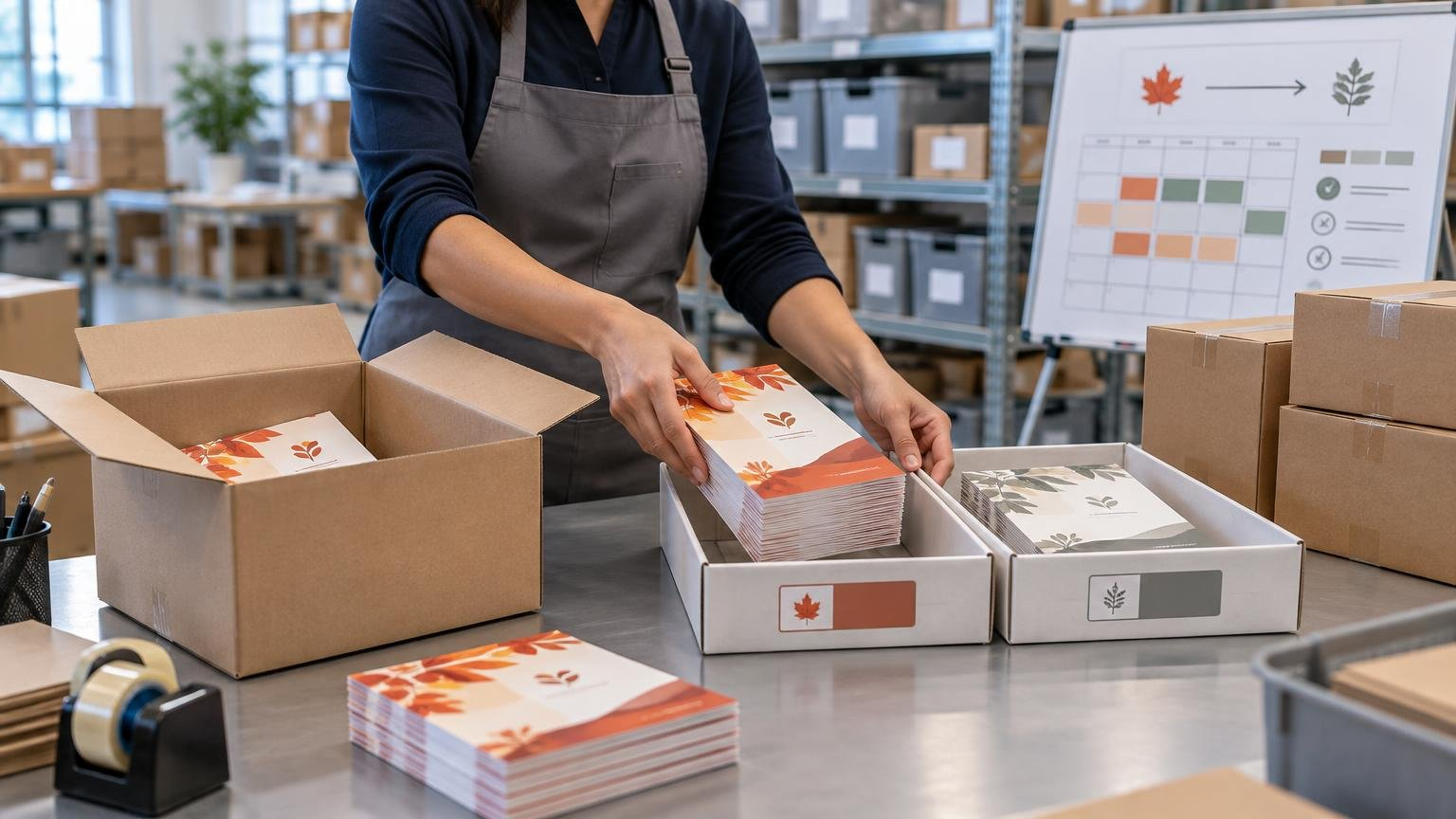
TLDR: Start with the dates customers should receive the seasonal message, not the day you want to order printing. Work backward through the last useful ship date, warehouse cutover, receiving and putaway, freight transit, print production, proof approval, and artwork completion. Base the quantity on shipments that actually qualify for the insert, add a deliberate buffer, subtract usable stock, and decide before printing what will happen to leftovers.
Seasonal package insert planning is an inventory and timing problem disguised as a small print project. The insert may be inexpensive, but a late arrival can miss the campaign, an early warehouse cutover can expose an offer prematurely, and an oversized order can leave cartons of dated material with no valid use.
Package inserts can include discount offers, usage instructions, samples, thank-you notes, review requests, and return-related information. Shopify’s overview of packaging inserts provides examples of these common formats. Whatever the format, the operational objective is the same: put the correct version into the correct shipments during a controlled window.
Define the insert window before requesting a print date
A campaign launch date is not enough. Define when customers should first receive the message and the last date on which receiving it remains useful. Then translate those customer-facing dates into warehouse ship dates.
For a promotion tied to a specific holiday, the last useful ship date may occur several days before the public expiration date. Orders shipped later could arrive after the offer becomes irrelevant. Conversely, a seasonal brand message without a coupon may have a more flexible end date.
- Customer delivery target: when the first recipient should see the insert.
- First eligible ship date: when fulfillment should begin adding it to packages.
- Last useful ship date: the final shipment date that still supports the campaign.
- Offer expiration date: when a coupon, QR destination, or other benefit stops working.
- Removal date: when remaining seasonal stock must leave active pick locations.
Do not assume these dates are interchangeable. A warehouse may need to stop using an insert before its offer formally expires, especially when normal transit could carry packages beyond that expiration date.
Build the seasonal package insert planning schedule backward
Once the first eligible ship date is known, work backward through every handoff. Ask each owner for a confirmed duration rather than copying a lead time from a previous job. Proofing, specialty finishing, freight conditions, receiving queues, and peak production demand can all change the schedule.
| Milestone | Planning question | Owner |
|---|---|---|
| Warehouse cutover | When must the new insert be available at packing stations? | Fulfillment operations |
| Receiving and putaway | How long will delivery checks, counting, labeling, and stock placement take? | Warehouse or receiving team |
| Inbound transit | When must finished cartons leave the printer? | Procurement or logistics |
| Print production | What is the confirmed production window for this quantity and specification? | Printer and print buyer |
| Proof approval | Who approves the proof, and how much review time is reserved? | Marketing, operations, and compliance |
| Artwork lock | When must copy, codes, dates, and files stop changing? | Campaign owner |
| Forecast lock | When is the initial order quantity authorized? | Operations or procurement |
Add contingency time where a missed handoff would jeopardize the launch. This is schedule protection, not extra inventory. Keep the two buffers separate: schedule contingency absorbs delays, while stock buffer absorbs demand variation.
For a complicated specification, resolve paper, folding, finishing, and packing requirements before the artwork deadline. Technical resources covering commercial print production can help teams understand the production questions they need to settle, while the selected printer should confirm the actual specification and schedule for the job. A controlled proof and approval workflow also reduces avoidable delays; see these print project workflow practices.
Forecast qualifying shipments, not total orders
The most useful demand unit is usually the number of packages that require an insert. That may differ from orders, items sold, or customers. One order can create multiple shipments, while some channels or products may be excluded entirely.
Start with shipment history for a comparable period and document the forecast adjustments. Seasonal forecasting should account for recurring variation and historical usage patterns rather than treating every month as equivalent. Utah’s published inventory-control policy illustrates this general approach and defines reorder planning around forecast usage during lead time plus safety stock.
- Include only warehouses, sales channels, countries, products, or subscription plans participating in the campaign.
- Estimate split shipments if one customer order can consume more than one insert.
- Remove digital-only orders, local pickup, wholesale cartons, or other ineligible flows.
- Adjust for planned promotions, product launches, channel changes, or fulfillment interruptions.
- Confirm whether replacement shipments and reships should receive the insert.
- Separate versions when different audiences receive different offers or languages.
A simple initial planning formula is: forecasted qualifying shipments during the insert window, plus approved buffer stock, minus usable on-hand inventory. “Usable” matters. Old stock with an expired offer, outdated disclosure, incorrect QR code, or superseded artwork should not reduce the new order.
Hypothetical quantity example
Assume a campaign is forecast to generate 24,000 qualifying shipments. The team approves a 4% buffer, or 960 inserts, and confirms that 1,800 current-version inserts are already usable. The initial order would be 24,000 + 960 − 1,800 = 23,160 inserts.
The 4% figure is an assumption for this example, not a standard. A better buffer depends on forecast confidence, replenishment lead time, minimum economical reprint quantity, campaign duration, stockout consequences, and whether leftovers remain usable. For a broader framework, see how to set safety stock for marketing collateral.
Choose a buffer and a reprint checkpoint together
Buffer stock should reflect the cost of being wrong in either direction. Too little can create a stockout or rush reprint. Too much can leave dated inventory that cannot be reused. The right policy balances those risks rather than automatically ordering a round percentage above forecast.
Before launch, establish a remaining-inventory level or calendar date that triggers a reforecast. At that checkpoint, compare actual consumption with remaining eligible shipments. If a reprint may be needed, account for production, transit, receiving, and putaway—not merely press time.
- Record beginning inventory by version and warehouse.
- Measure actual insert consumption at an agreed frequency.
- Update the forecast for remaining qualifying shipments.
- Compare available stock with expected demand through the end of the window.
- Approve a short reprint only if it can arrive before the last useful ship date.
- Document whether a partial stockout is preferable to excessive dated leftovers.
Short campaigns often leave little time to react. If replenishment cannot arrive while the message is still useful, the initial quantity and buffer decision carry more weight. Longer campaigns may support a smaller first run followed by a planned reprint, but that can increase unit cost and add another approval and receiving cycle.
Control the warehouse cutover by version and effective date
“Use the new insert on Monday” is not a complete cutover instruction. Specify the warehouse, insert identifier, effective time or order batch, eligible shipment rules, and disposition of the previous version.
Give every insert version a distinct SKU or internal identifier. The carton label, receiving record, inventory system, campaign brief, and packing instructions should use the same identifier. If old and new versions overlap physically, segregate them or use an unmistakable label so packers do not have to distinguish versions by reading campaign copy.
- Confirm the new version has been received and counted before retiring the old one.
- Place only the approved quantity at active packing stations.
- Remove or quarantine the previous version at the agreed cutover point.
- Tell operations which orders qualify and how exceptions are handled.
- Check the first completed packages after cutover for the correct version.
- Record the quantity of retired stock instead of letting it disappear into general inventory.
For multiple warehouses, do not assume one universal cutover time will work. Different receipt dates or order-processing time zones can create a staggered transition. Decide whether that is acceptable or whether all sites must hold the new insert until a coordinated release.
Lock artwork, offers, and compliance before printing
The final approval should cover more than visual design. Test the exact QR code and landing page, confirm promotion codes, check dates and exclusions, verify version labels, and identify the person authorized to release the file. A disciplined campaign brief can also align the audience, offer, distribution method, and measurement plan; see this print marketing workflow.
Review-request inserts need particular care. The Federal Trade Commission says an incentive cannot be conditioned, explicitly or implicitly, on a review being positive or negative, and that undisclosed incentives may violate the FTC Act. Its Consumer Reviews and Testimonials Rule took effect on October 21, 2024. Use the FTC’s current review and testimonial guidance when drafting this type of insert, and have the wording, incentive, disclosure, and relevant platform rules reviewed before printing.
Also check whether the finished insert changes package characteristics enough to affect postage or carrier charges. The answer depends on the complete packed shipment, service, and current pricing—not the insert in isolation. Seasonal carrier pricing can change the economics during the campaign window; for example, USPS announced a temporary adjustment for certain domestic competitive parcel products from October 4, 2026, through January 17, 2027, pending regulatory review. Confirm the applicable rate and packed parcel details for the actual shipping period.
Decide what happens to leftovers before ordering
Post-season disposition belongs in the original plan. Without an owner and rule, old inserts tend to remain in active inventory, where they consume space and create version risk.
- Roll forward: appropriate for evergreen inserts with no expired dates, offers, codes, or claims.
- Hold for review: use when the piece may remain valid but needs marketing or compliance confirmation.
- Revise: practical only when an approved overprint, label, or other correction preserves readability and economics.
- Retire: required when the message, offer, destination, disclosure, or branding is no longer valid.
- Document disposal: record the version and quantity removed so inventory and campaign reporting remain credible.
A leftover limit can also guide the original quantity decision. If the business will accept no more than a stated quantity of dated stock, include that constraint in the forecast review instead of discussing it after the campaign.
One-page planning worksheet
| Field | Decision to record |
|---|---|
| Campaign window | First eligible ship date, last useful ship date, and offer expiration |
| Eligibility | Included and excluded channels, products, warehouses, and shipment types |
| Demand | Forecasted qualifying shipments and underlying assumptions |
| Inventory | Usable stock on hand by version and location |
| Order quantity | Forecast plus approved buffer minus usable inventory |
| Approvals | Artwork, proof, offer, QR destination, legal copy, and final release owner |
| Lead times | Production, inbound transit, receiving, and putaway |
| Cutover | Effective date or batch, participating sites, and old-version disposition |
| Reforecast | Review dates, consumption data, and reprint trigger |
| Leftovers | Maximum acceptable remainder and disposition owner |
The practical next step
Begin by fixing the first eligible ship date and last useful ship date. From there, obtain confirmed lead times from the printer and fulfillment operation, forecast only qualifying shipments, and set both a stock buffer and reforecast checkpoint. Before approving the order, make sure the warehouse has an explicit version-controlled cutover instruction and an owner for post-season leftovers. That sequence turns a seasonal insert from a last-minute print order into a manageable campaign inventory plan.
Leave a Reply